

Send your inquiry directly to us
CONTACT DETAILS
China Patient Monitor Repair Company
Contact Person:Katie Lee
Tel:8618879071075
Fax:86-188-790-71075
Announcer: PMR Med Release Time:2026-10-12
I’ve been working as a biomedical engineer for several years. Every time I get an urgent repair call from a clinical department, my heart skips a beat. Patient monitors act as sentinels keeping a close eye on vital signs, so we cannot afford any delay once they break down. Early last week, a nurse called to say a Philips IntelliVue monitor failed to power on. I grabbed my tool kit and rushed to the ward.
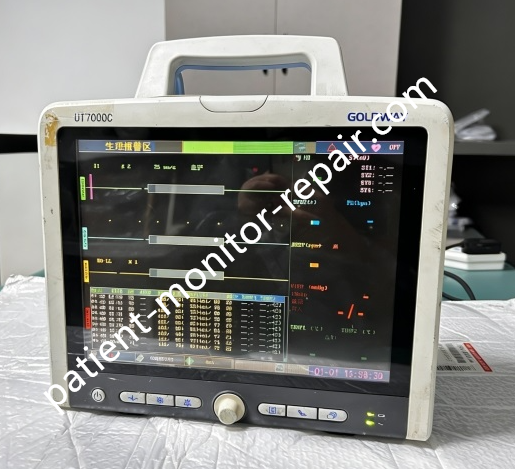
I first confirmed the symptoms on site. When plugged into mains power, the power indicator lit up faintly, yet the screen remained completely black. No text or waveforms appeared. Pressing the power button gave no beep, and the touchscreen did not respond at all. After disconnecting mains power and trying to run the unit solely on its internal battery, the indicator went out immediately. The nurse told me it worked fine the previous day. It just failed to boot up during the morning shift handover. There were no drops or impacts, and the staff only performed routine disinfection cleaning.
My initial guess was that the aging internal battery had shorted out and pulled down the overall voltage. I disconnected the battery and tested the monitor using mains power alone, but the black screen persisted. This ruled out simple battery damage. Next, I suspected the screen cable or backlight. I partially disassembled the unit and re-seated the screen cable, yet nothing changed. At that moment, frustration crept in. My troubleshooting hit a dead end and I lost my leads.
I had to stop rushing into random disassembly. Haste makes it easy to overlook small details. I forced myself to calm down and narrowed down the fault step by step following standard repair procedures. Since the power indicator turned on, the external power supply was intact. The problem most likely lay in the internal power board or mainboard. I cut off power, took ESD protection measures, and opened the casing. A visual inspection of the circuit board showed no obvious signs like bulging capacitors or burnt components. Using a multimeter, I measured each group of output voltages on the power board and found one voltage rail supplying the mainboard was abnormally low.
I kept comparing readings against standard parameters and traced the circuit little by little until I located the root cause. A surface-mount diode on the power board had degraded. Its voltage reading appeared normal under no-load conditions, but the voltage collapsed once a load was applied. This prevented the mainboard from booting, resulting in the black screen. This type of latent component failure is invisible to the naked eye and is one of the most common pitfalls for technicians.
When I found the faulty part, the weight on my shoulders lifted at once. I replaced the surface-mount diode of the same specification, cleaned accumulated dust on the board, and checked connectors for oxidation. After reassembly, I powered the monitor on. The indicator lit up, the screen turned on successfully, and the ECG, SpO2 and NIBP self-tests all passed in one go. I ran continuous testing for half an hour; the device stayed stable with no recurrence of the black screen.
After the repair, I briefly reminded the nursing team of daily maintenance tips, especially to prevent disinfectant liquid from seeping into device ports. Medical equipment repair really tests patience. Many faults are not obvious at first glance. Impatience often leads us down the wrong path. Only by staying calm and verifying assumptions based on observed symptoms can we find the real cause. What we repair is more than just circuit boards; we maintain a critical line of defence for patients in the ward.
Newer repair technicians tend to focus on obviously burned-out parts and often overlook these "sub-healthy" components. The diode was not fully broken through, only losing its load capacity. No-load measurements can trick us into thinking the hardware works normally. Such soft faults take the most time and put our patience to the test. It is through solving these tough, hard-to-diagnose faults that I find this job rewarding. Behind every quietly running monitor lies the persistent detective work of biomedical engineers.
Tags: philips monitor repair blog, patient monitor repair blog, philips monitor blog,
Copyright statement:If not specified, the articles on this site are all PMR Med originals. Please indicate the source and attach the link to the Repair Notes on Philips Monitor: Troubleshooting a Tricky Black Screen Fault article for reprinting.
Previous:Philips Original Medical Boblingen REF 989803206871 Oxygen Generator Ventilator Battery
Next:TECTROL Philips Power Charger 453564422791 Original APC Power TC21M-1402
Send your inquiry directly to us
Contact Person:Katie Lee
Tel:8618879071075
Fax:86-188-790-71075
Tel